Schedulely apps for web, Android, Windows and Mac
Use the web app in any browser and add it to your iPhone home screen, or get the apps for Android, Windows and Mac.
Free during early access.
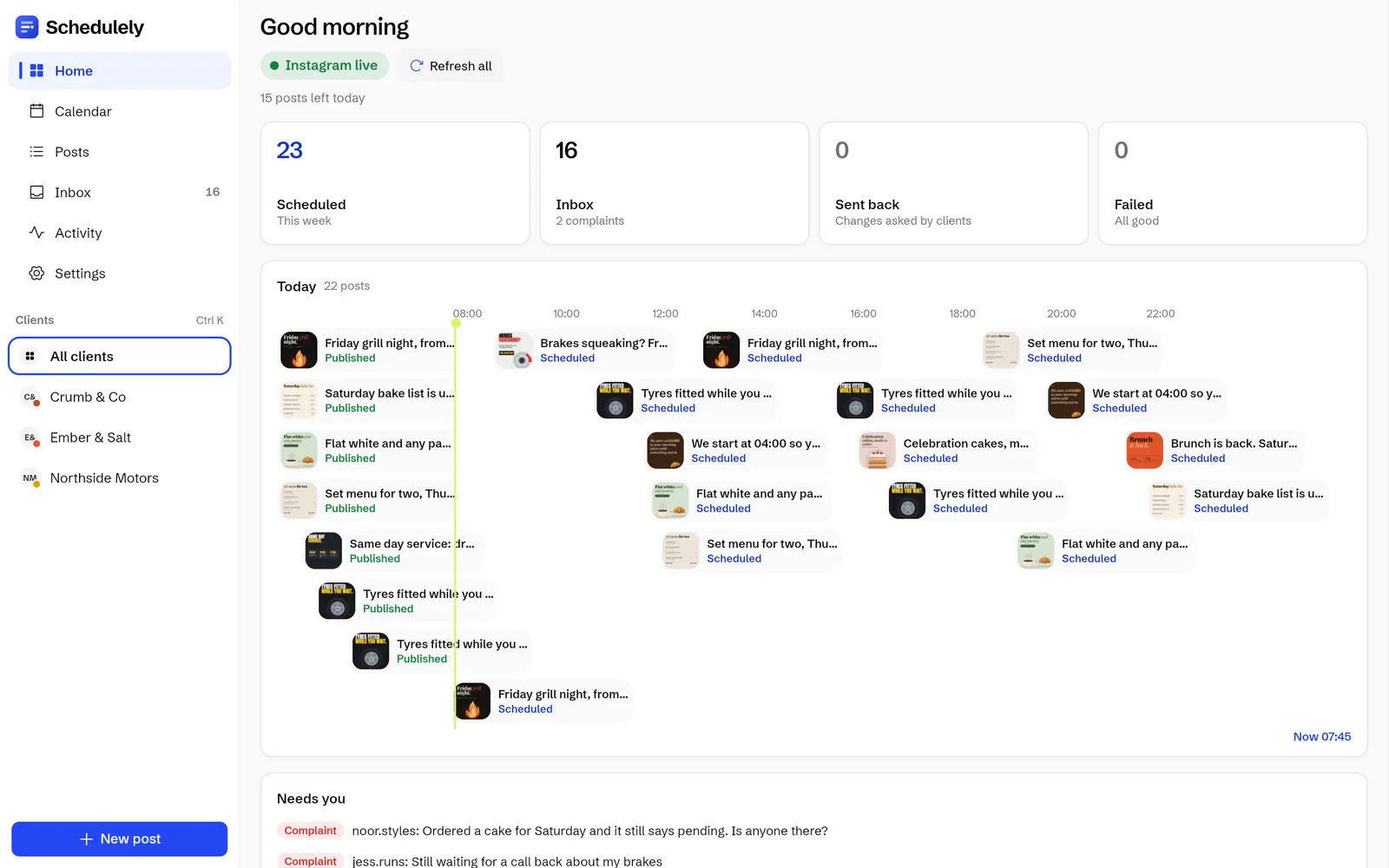

The real app with made up example clients. Every business here is made up and every post was designed for this page. If a name or location matches a real business, it is a coincidence and not related to them.
What it does

- Web app
- Works in any modern browser. On iPhone, open it in Safari and add it to your home screen.
- Android, Windows and Mac
- Apps for each, signed in to the same account. Get the apps.
- Push notifications
- Alerts per device with quiet hours, so your phone stays quiet at night.
- Daily digest
- A summary of what happened, to catch up in one go.
- Light and dark mode
- The app comes in light and dark.
How it works
4 steps, in the order you do them in the app.
Start free on the web
Sign up in the web app with email or Google.
Add it to your iPhone
Open the web app in Safari, tap Share, then Add to Home Screen.
Get the desktop and Android apps
Download the apps for Android, Windows or Mac and sign in.
Set your alerts
Turn on push notifications per device and set quiet hours.
Try it on your own accountsSign up with email or Google. Nothing to install.
Free during early access.
Good to know
- On iPhone, Schedulely runs as a web app from your home screen.
- Alerts are set per device, so your laptop and your phone can behave differently.
Questions
Does it work on iPhone?
Yes. Open the web app in Safari and add it to your home screen. There are also apps for Android, Windows and Mac.
Is there a dark mode?
Yes. The app comes in light and dark mode.
Is it really free?
Yes, during early access. Everything that's built today is free to use. Paid plans start later, and we'll tell you well before anything is charged.

Start free today
Everything that is built today is free during early access. Plans start later, and we will tell you well before anything is charged.
Free during early access.